Monday, 30 April 2012

Introducing CSS shaders: Cinematic effects for the web


Introducing CSS shaders:
Cinematic effects for the web


Introducing CSS shaders: Cinematic effects for the web

by Vincent Hardy

Advances in HTML5 and CSS (for example transitions, animations, transforms, text shadows, box-shadows, gradients, SVG) have improved the graphical and interactive richness of HTML. SVG filter effects are now moving toFilter Effects 1.0 to become available in CSS and HTML, in addition to SVG, and will bring effects such as grayscale, sepia tone, or hue-rotate to all web content. More sophisticated effects, such as the chiseled effect shown in Figure 1, will also be possible.

Figure 1. Filter Effects applied to SVG content, from the svg-wow.org website.

The Adobe CSS shaders proposal has been brought to the W3C FX task force. CSS shaders define a filter effects extensibility mechanism and provide rich, easily animated visual effects to all HTML5 content. They work particularly well with CSS animations and CSS transitions.
The following videos show examples of CSS shaders in action on HTML content.


CSS shaders Flipbook demo (0:39)


CSS shaders unfolding map demo (0:18)


CSS shaders twitter feed demo (0:22)

This article describes what CSS shaders are and how they work, and includes code examples. It also covers how to use shaders to create custom effects and how to write your own custom shaders.
A few caveats: This is a work in progress. As we continue the discussion with the broader community, we will be making some changes. The syntax used in this article reflects the CSS shader's proposed syntax, but it will likely evolve as the discussions in the W3C FX Task Force and with the broader community continue. Note also that, in accordance with common practice, all the new proposed properties are prefixed with -webkit- in our WebKit prototype. For the sake of simplicity, I have omitted this prefix in the rest of the article.

3d ANIMATION USING CSS3

3d ANIMATION USING CSS3 

FOR DEMO AND SOURCE CODE :


8 Simply Amazing HTML5 Canvas and Javascript Animations


HTML5 canvas has changed the way javascript used to be. We're now able to achieve complex animation however we do need a powerful browser to interpret it. The following is 8 new HTML5 + Javascript animation effect you probably have not seen before! Play with each of them, you'll be blown away by the creativity and robustness of HTML5 canvas!
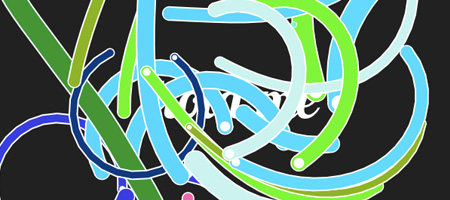
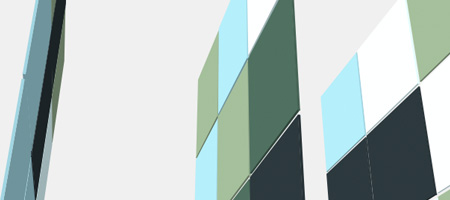
  • Tunnelers

    Processing to sketch out the animation and form, then rewrote it from scratch in Javascript / Canvas HTML5. Simply awesome and amazing!
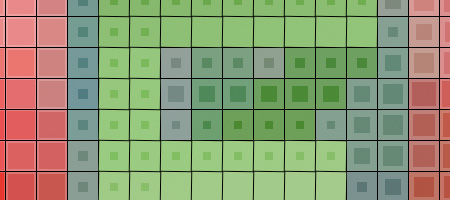
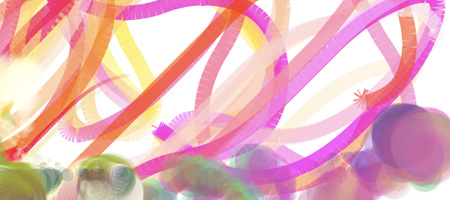
  • The Mesmerizer

    A simple experiment with a 16x16 grid of squares. Moving the pointer over the squares causes colours to appear and bleed into adjacent squares with an effect that is quite mesmerizing. Try clicking the corner squares or typing on the keyboard for additional effects.
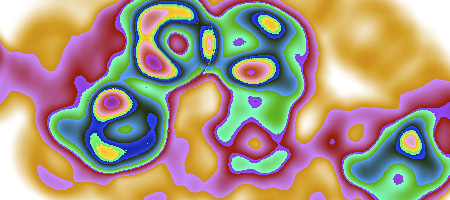
  • Burn

    A simple test of local pixel-based modifications of an HTML5 canvas drawing area. Hold a mouse button down for a "slide down" effect.
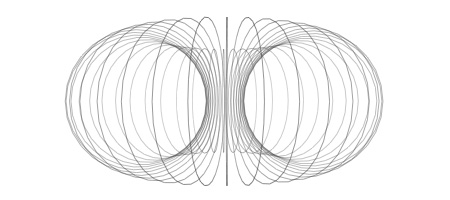
  • Cheloniidae Live

    This project is pure JavaScript, though it uses a library that dynamically recompiles JavaScript functions to implement operator overloading. (This is done inside the browser, not ahead-of-time.) Pretty fun, you can alter the code and make your own drawing!
  • Canvas 3D engine

    A 3D engine on canvas, currently supporting a collection of basic prefab shapes, textures, and basic interaction. Current work includes collada (import) support, and improved texture and lighting features.
  • Bomomo

    Best give it a try yourself... just use your mouse & mouse button! All of the sudden, I have become artistic. :)
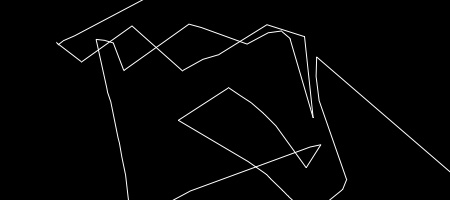
  • DDD

    Move mouse to draw, drag to rotate. This one is pretty fun, you have to try to see it.
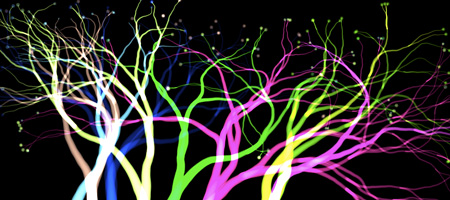
  • Plasma Tree

    Inspired by nature - a visual presentation of a algorithm
    For More Tutorials & Information visit:
    http://www.queness.com/post/3885/8-simply-amazing-html5-canvas-and-javascript-animations

Impressed by CSS3 TRANSITIONS.. want to do some animation????? 


Read the tutorial about CSS 3 TRANSITIONS :
http://www.w3schools.com/css3/css3_transitions.asp


CREATE YOUR OWN ANIMATIONS....

50 Awesome Animations made with CSS3

http://www.1stwebdesigner.com

CSS3 has brought some amazing new features. And the most fun is playing with the CSS animation. Here is a compilation of 50 CSS3 animation that allows you to perform many motion-based functions normally Delegated to JavaScript. In order to view this effect, you are required to have WebKit browsers like Safari and Chrome ( very sorry for the users of Internet Explorer )

View demos... U CAN DOWNLOAD THEM also...


Visit : http://www.1stwebdesigner.com/css/50-awesome-css3-animations/

1. CSS3 Clock With jQuery

Use the basic features of the CSS3 Transform: rotate. And the combination of javascript frameworks like jQuery can produce a cool CSS3 clock

2. Analogue Clock

Analogue clock created using webkit transition and transform CSS. JavaScript is only used to pull in the current time.

3. 3D Cube That Rotates Using Arrow Keys

You can Use up, down, left and right keys to navigate the 3D cube. 3D cube built using -webkit-perspective, -webkit-transform and -webkit-transition.

4. Multiple 3D Cubes (Slide In/Out)

Multiple 3D Cubes using CSS3 and proprietary ‘transform’ and ‘transition’ properties. I thought it was amazing, you can see the writing on the 3D object.

5. CSS3 Accordion

An accordion effect using only CSS. Proprietary animation in WebKit based browsers.

6. Auto-Scrolling Parallax

Auto-Scrolling Paralax is an animated parallax effect using WebKit’s CSS transition property,Auto-Scrolling Paralax no need JavaScript

7. Isocube

Isocube is like 3DCube but have litle different. Isocube can load images on one side

8. Image Gallery

9. Matrix

The Matrix is one of the best sci-fi films of all time. CSS3 capable of making such an amazing animated film made

10. 7 Javascript-effect Alternatives Using CSS3

7 examples of alternatives to javascript effect by using CSS3. Various effects such as Fade Block, Block Pulsate, Nudge, Expand Block, Block Bounce, Spin Block and Accordion

11. Image Hover Effects

Image Hover Effects is an example of using CSS to replace the javascript. The image will shrink when you put your mouse pointer on top of it.

12. Turning Coke Can (Control With Scrollbar)

13. 3D Meninas

14. Polaroid Gallery

Polaroid Gallery is animated pile of photographs utilizing a ton of new CSS3 commands. It’s interesting when your mouse cursor is above the image, the image will enlarge

15. Space

16. Mac Dock

This list of links as the basis and change into an OS X icon dock of amazing.

17. Drop-In Modals

With CSS3 effects and property Drop In Modals can help you make quick, animation, a simple change to using modals, and some subtle design cues.

18. Sliding Vinyl

Vinyl effect can be created by using CSS3 transition and a little HTML. This can make a standard album cover to have an interesting style

19. Zooming Polaroids

Polaroid is a picture that is in the box and spun like a pile of random photos that are sorting through CSS3 techniques. The text that comprises only extract the title and alt attribute

20. Animated Rocket

The principle of Animatid Roket is CSSEffect. The transformation changed the appearance of an element in the browser, moving, rotating, or other means. In determining the conversion of styles before making the application to happen so that you can not really animation.

21. Poster Circle

Poster Circle. is an animated spin column consists of a row of colored boxes and text are wonderful. The overall effect is crazy cool and undeniably dizzying

22. Morphing Cubes

Morphing Cubes will shows some of the more interesting content using 3D transformations, animations and transitions. Note that you can still select text in the element, even if the rotation. Converting elements are fully interactive.

23. Animated Polaroid Gallery

This is the example of other Polaroid Gallery. Piles of images at random and when the cursor hovers over an image, selected images will be enlarged

24. Spotlight Cast Shadow

When the cursor moves as if like a lamp spotlight leading up to the writing and cast

25. Colorful Clock

Colorful Clock is a colorful jQuery & CSS3 which will help you keep track of those precious last seconds of the year.


26. Lightbox Gallery

Lightbox Gallery is an awesome image gallery which leverages the latest CSS3 and jQuery techniques.Lightbox Gallery using jQuery, jQuery UI (for the drag and drop) and the fancybox jQuery plugin for the lightbox display in addition to PHP and CSS for interactivity and styling.

27. Elastic Thumbnail Menu

Elastic Thumbnail Menu is an alternative method for smoothing the menu, in particular by increasing the menu items when the mouse is hovering over the menu. And then expand to the top menu

28. Coverflow

This animation Apple style that combines CSS transformation and jqueryUI. This one truly animate between two half states, making a slider like iTunes

29. jQuery DJ Hero

DJ Hero This is one of the interesting combination of CSS3 with jquery. On-screen controls you can control the pace or just take enough to record your mouse

30. Dynamic Stacking Cards

inn is a dynamic stack of index cards that simply using HTML and CSS3 features such as change and transition (for the dynamic effects) and the @ font-face, box-shadow and border-radius (for styling).

31. Another Image Gallery

This is an example of another image gallery that uses CSS3 transforms property and property transitions.

32. Snow Stack (Control With Arrow Keys)

33. Animated Pricing Column

CSS3 animation can also be used in the package list price of a product. Animated Column Pricing can be applied properly there

34. Slick jQuery Menu

Slick Jquery Menu achieved through a combination of CSS3 and JQuery menu below is very elegant and shows some great use of Jquery and CSS3. This is just one of those crazy concepts that the test can be used in CSS3 will be true of the standard Web.

35. CSS Tabs Without Javascript

36. Tab Menus Without Javascript

37. SVG Fisheye Menu

CSS animation can animate almost any property on the item and do funny things, such as rotation and tilt. As proof,will created quick and dirty CSS3 Fisheye / Dock demo. Used as an added bonus, the demo-SVG in the tag IMG.

38. Falling Leaves

Like autumn. Animated falling leaves are made using CSS3

39. Rotating Gallery

Image Gallery Rotaitng build with CSS transform transition and CSS features. To see the effects of rotation, click the small image

40. Dropdown Menu

Dropdown Menu is a very nice navigation menu by using CSS3 transition property. CSS transitions are very strong influence to renounce the use of JavaScript for many common side effects.

41. Star Wars Crawl

Star Wars opening crawl, using only HTML & CSS. It only works in Snow Leopard in Safari 4.0.4 and the WebKit nightly.

42. Sticky Notes

43. Snowflakes

44. Another Fisheye

This is another fisheye that using CSS3

45. Frame-by-Frame Animation

The first demonstration reqires you to keep clicking the image to see the next frame, and it wraps around to the start when you reach the last frame.The second demonstration just needs you to keep the mouse moving over the image in MOST browsers. But the BIG drawback to this method is that the speed of movement of the mouse governs the speed of animation

46. AT-AT Walker

AT-AT Walker is not flash but only CSS3. That amazing !

47. Another Accordion

48. Dynamic Presentation Without Flash

49. Smoothie Slider Menu

50. Spinner

This is basically like an ajax/loader spinner except its not a animated gif. It uses CSS3 to make it spin.
Examples :